
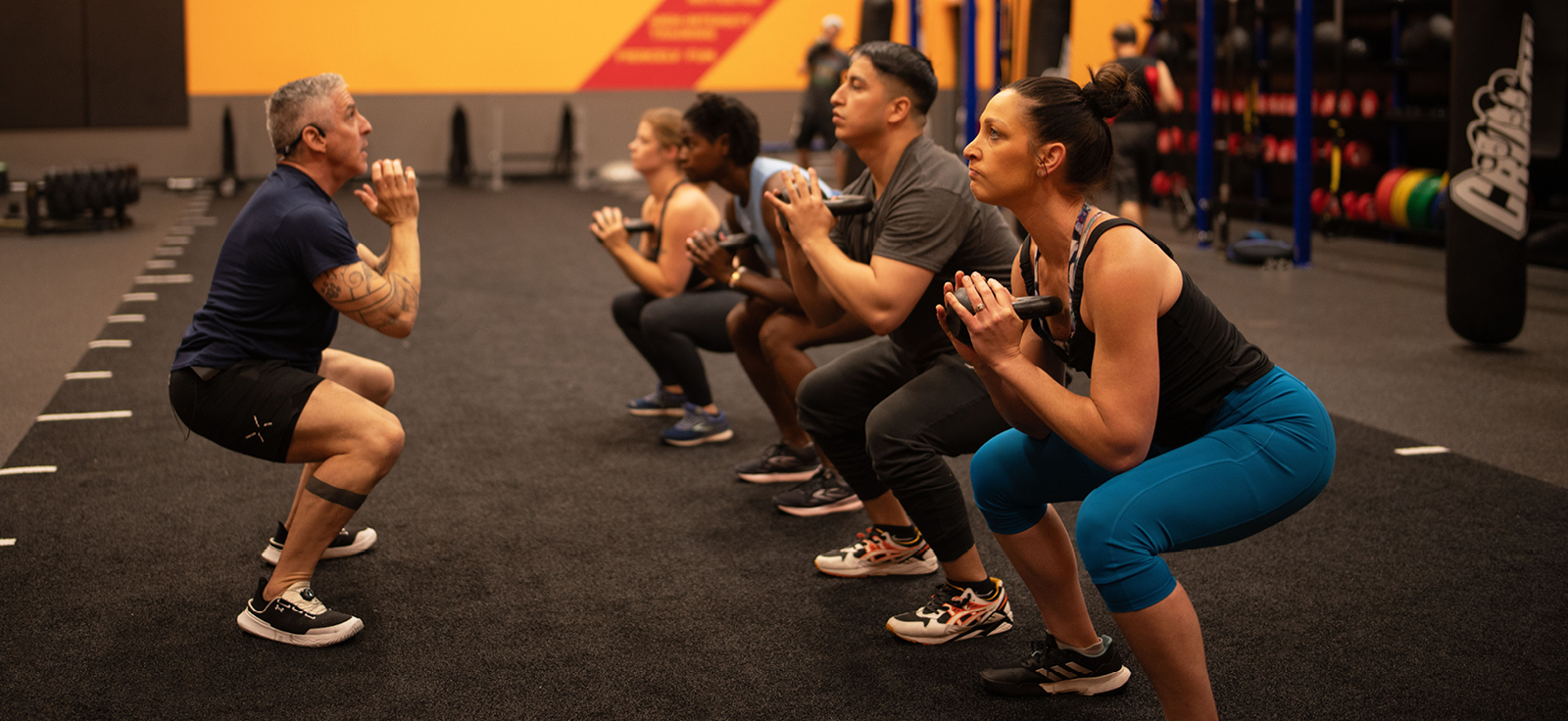
A group HIIT class contains more transitions than participants may realise. Every interval requires people to identify the exercise, prepare their position, begin together, manage effort and stop safely. A small delay repeated across many rounds can change the entire session.
In modern HIIT classes Singapore facilities provide, smart timing displays can create a common structure for the room. Their purpose is not simply to show a countdown. They can reduce confusion, protect recovery and help instructors focus on coaching.
A Shared Clock Aligns the Room
Without a clearly visible time reference, participants may begin and finish at different moments. Some follow the music, others follow the instructor’s voice and those at the back may react several seconds later.
A shared display gives everyone the same work and recovery signal. This is especially useful in large classes where sound and sightlines vary.
The instructor can still control the room, but less verbal energy is required for constant counting. Participants also gain a clearer understanding of how much effort remains.
Consistency improves pacing. People can avoid accelerating too early or stopping because they assume an interval is nearly complete.
Displays Can Protect Recovery Time
Instructors naturally want to prepare participants for the next exercise. If the transition is explained verbally without a visible timer, recovery may become inconsistent.
A display can show exactly how much recovery remains while previewing the next movement. Participants can listen, breathe and prepare equipment without guessing when work will restart.
This prevents an important operational problem: turning every recovery period into a rushed demonstration.
The system should not overload the screen. Remaining time, exercise name and one simple preview may be enough.
Visual Structure Reduces Cognitive Demand
High-intensity exercise already demands attention. Participants must manage breathing, position, equipment and personal space.
A clear display reduces the need to remember the whole sequence. It can show the current movement, the next movement or the number of rounds remaining.
At True Fitness Singapore, effective visual information can support the instructor without becoming a substitute for personal observation and verbal coaching.
The screen should answer immediate questions. What am I doing? How long remains? What comes next?
Anything beyond that should earn its place.
The Interface Must Be Readable While Moving
A display that looks attractive on a designer’s laptop may fail in a full studio.
Participants view the screen from different distances and angles. They may be moving quickly, wearing glasses or standing behind taller people.
Text should be large, contrast should be strong and the layout should remain stable. Constantly moving graphics make information harder to locate.
Colour can reinforce work and recovery states, but colour should not be the only signal. Some participants have limited colour perception, and lighting can alter how colours appear.
Numbers, labels and shapes can provide additional distinction.
Timing Must Match Music and Instructor Cues
In choreographed or music-driven HIIT, a visual countdown must align with the soundtrack and coaching.
If the screen reaches zero before the musical change, participants receive conflicting instructions. If the next exercise appears too early, some may stop the current interval prematurely.
Systems should be tested with the complete class format. Timing accuracy includes countdown behaviour, sound cues, music transitions and instructor demonstrations.
Even a technically small delay can become obvious when repeated throughout the class.
Smart Displays Need Instructor Control
Automation is useful until the room requires a change.
An instructor may need extra explanation time, a longer equipment transition or an immediate stop because of an incident. The system should allow pausing, restarting or skipping without complicated navigation.
Controls must be accessible from the teaching area. Walking to a remote computer can remove the instructor’s attention from participants.
The instructor should also know what happens if the system disconnects. A manual clock, music-based structure or other backup should be available.
Preview Screens Can Improve Equipment Safety
Equipment transitions can become rushed when participants do not know what comes next.
A preview can show whether the next interval requires a bar, plate, step or bodyweight setup. Participants can begin preparing during the appropriate transition without scattering equipment around the floor.
The display should show the minimum necessary information. Too many setup choices can create confusion.
Studios also need clear physical organisation. Smart timing cannot compensate for poor equipment spacing or insufficient room.
Data Features Should Remain Optional
Some timing systems connect with heart-rate monitors, leaderboards or participant profiles. These features may increase engagement, but they introduce privacy and interpretation concerns.
Not everyone wants personal performance information displayed publicly. Device readings can also be inaccurate or incomparable across participants.
A shared timer provides value without collecting personal data. If individual metrics are offered, consent, access and data retention should be explained clearly.
Participants should be able to attend without joining a public competition.
Leaderboards Can Distort Interval Quality
A repetition or calorie leaderboard may encourage participants to rush movement, shorten range or ignore appropriate options.
High numbers do not necessarily represent better training. A person using a controlled full range may record fewer repetitions than someone performing quick partial movements.
If competitive features are used, instructors must reinforce movement standards and personal pacing.
The technology should support the programme goal. It should not quietly replace that goal with whatever number is easiest to display.
Operational Reliability Shapes Member Trust
Once a screen becomes part of the class, repeated failure affects the experience.
Facilities should check displays, speakers, network connections and programme files before peak sessions. Updates should be tested outside class hours.
Staff need a simple fault-reporting process. A problem that is repeatedly mentioned but never recorded may continue for weeks.
Maintenance records can identify whether one screen, cable or software version is causing recurring disruption.
Measuring Whether the Display Improves Flow
The best measurement is not whether participants say the screen looks modern. It is whether the class operates more smoothly.
Facilities can observe starting delays, transition time and the number of repeated instructions. They can ask instructors whether the system frees attention for coaching.
Participants can provide feedback about visibility, countdown clarity and information overload.
A useful display should make the technology less noticeable over time. The class simply feels organised.
Frequently Asked Questions
Q: Can a timing display replace an instructor?
A: No. It can manage timing and basic prompts, but it cannot observe technique, respond to distress or provide individual options.
Q: Should I watch the timer throughout an interval?
A: No. Check it when useful, but maintain attention on movement quality, equipment and surrounding participants.
Q: What happens if the timer freezes?
A: The instructor should use a manual timing method or adjust the class structure. Facilities should maintain a tested backup process.
Q: Are heart-rate leaderboards necessary for HIIT?
A: No. A shared timer can improve class organisation without collecting or displaying personal data.
Q: Why does display placement matter?
A: Poor sightlines force participants to turn, strain the neck or lose movement focus. Screens should be visible from several positions in the studio.
